Pulire i file temporanei da riga di comando (CMD) su Windows
Pulisci i file temporanei velocemente senza passare dalle impostazioni
Short answer: You can instantly delete temporary files on Windows without opening Settings by running PowerShell or Command Prompt as Administrator. Commands like `del /q /f /s %TEMP%\*` and PowerShell's `Remove-Item` wipe gigabytes of leftover install caches in seconds.
Below are the essential command-line recipes for clearing Windows Temp, system prefetch, user caches, and scheduling automated batch cleanups.
In sintesi
- Windows has two main temp locations: user Temp (`%localappdata%\Temp`) and system Temp (`C:\Windows\Temp`).
- Running `del /q /f /s %TEMP%\*` removes all unlocked files silently without confirmation prompts.
- `cleanmgr /sagerun:1` executes pre-configured deep Windows storage cleanup via command line.
- Files in active use by open applications will show 'Access Denied', which is normal and safe.
- DiskMop gives you full visual control over temp caches and uninstalled leftovers without memorizing syntax.
Libera spazio su disco ed elimina file temporanei con DiskMop.
DiskMop scansiona, individua e pulisce in sicurezza cache nascoste, residui di app e file spazzatura di sistema.
Windows Temp Directories & CLI Removal Commands
| Target Cache | Directory Path | Recommended Command | Safety Level |
|---|---|---|---|
| User Temp Folder | %TEMP% (%localappdata%\Temp) | del /q /f /s %TEMP%\* | 100% Safe (Unlocked files) |
| System Temp Folder | C:\Windows\Temp | del /q /f /s C:\Windows\Temp\* | Safe (Requires Admin) |
| Windows Prefetch | C:\Windows\Prefetch | del /q /f /s C:\Windows\Prefetch\* | Safe (Rebuilds automatically) |
| SoftwareDistribution | C:\Windows\SoftwareDistribution\Download | net stop wuauserv && del ... | Safe for Windows Update cache |
Why use the command line instead of Storage Sense?
While Windows Settings includes Storage Sense, it often leaves behind gigabytes of locked or aged developer logs, node_modules caches, and installer extraction folders.
The command line allows power users to clear temp files instantly before taking drive backups or deploying disk images.
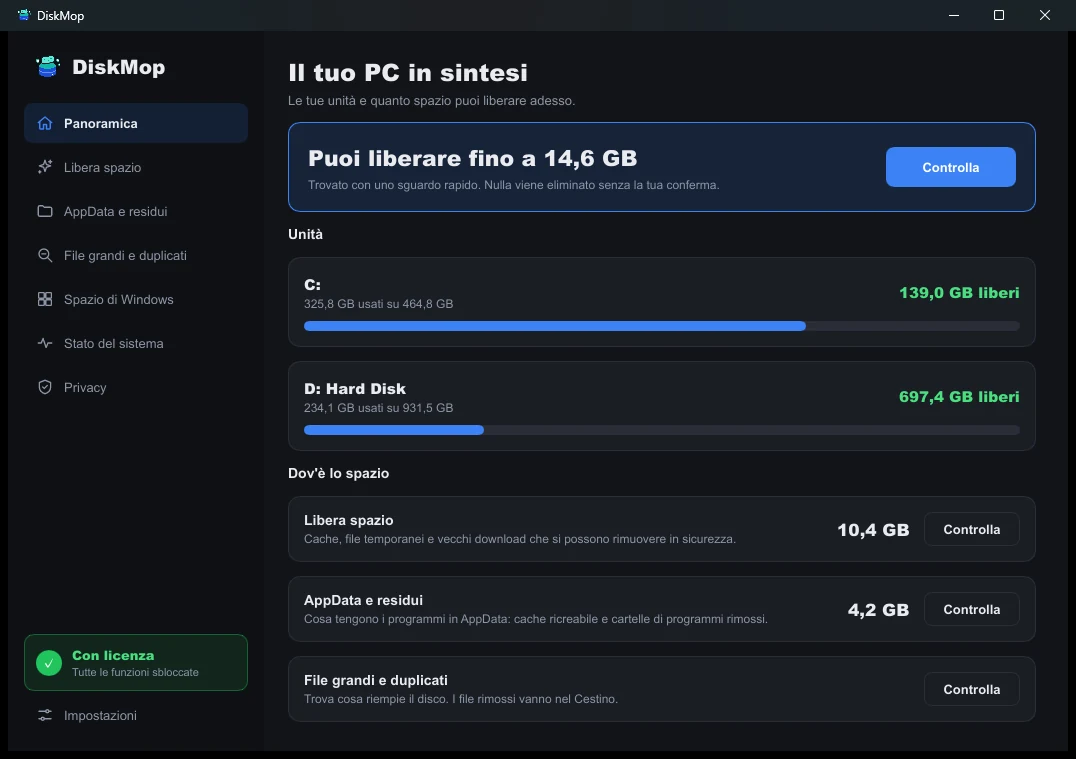
Come DiskMop risolve questo: Panoramica
Visualizza tutto l'utilizzo del disco in un'unica schermata. Identifica istantaneamente le aree da pulire.
Domande frequenti
Is it safe to delete everything in the Temp folder?
Yes. Files in Temp are temporary scratch files. Windows will automatically block the deletion of files currently in use by active software.
Why do some files give 'Access is denied' in CMD?
This means a running application or system service currently has the file open. Close running programs or restart into Safe Mode to delete them.
Can I automate this with a batch file (.bat)?
Yes, you can save the `del` commands into a clean.bat file and run it automatically via Windows Task Scheduler.
Does DiskMop do what these commands do?
Yes, DiskMop cleans both Temp directories and scans deep into AppData, browser caches, and orphaned uninstall folders with full preview.
Verdetto
Command line cleanup is fast and powerful for scripts, but it can miss hidden AppData residue. Use DiskMop for deep scanning with a visual overview of every file.
Libera spazio su disco ed elimina file temporanei con DiskMop.
DiskMop scansiona, individua e pulisce in sicurezza cache nascoste, residui di app e file spazzatura di sistema.