Guia de Over-Provisioning em SSD: aumente a vida útil e velocidade
Por que manter espaço livre no SSD garante velocidade máxima
Short answer: SSD over-provisioning (OP) is the practice of allocating a portion of a solid-state drive's NAND flash memory exclusively for controller background maintenance (wear leveling, garbage collection, and bad block retirement). Reserving 7% to 15% unallocated or free space prevents performance throttling and extends the write endurance (TBW) of your SSD.
This guide explains how NAND flash works, why filling an SSD to 99% degrades write speeds, and how to configure over-provisioning safely in Windows and macOS.
Pontos principais
- SSDs cannot overwrite existing data directly; they must erase entire 4 MB blocks before writing 4 KB pages.
- A full SSD suffers from extreme Write Amplification Factor (WAF), which wears out NAND cells faster.
- Setting aside 10% of your drive capacity gives the garbage collection algorithm room to operate cleanly.
- Most enterprise drives have built-in factory over-provisioning; consumer drives benefit from manual unallocated space.
- DiskMop helps you maintain at least 15% free headroom on your SSD by continuously purging junk caches.
Preserve a saúde e a velocidade do seu SSD com DiskMop.
O DiskMop analisa, identifica e limpa com segurança caches ocultos, sobras de aplicativos e lixo do sistema.
SSD Performance & Endurance by Free Space Ratio
| Free Space Remaining | Write Amplification (WAF) | Random Write Speed | Recommended State |
|---|---|---|---|
| 25% – 30% Free | Low (1.1 – 1.3) | 100% (Maximum IOPS) | Optimal for endurance & gaming |
| 10% – 15% Free | Moderate (1.5 – 1.8) | 85% – 95% | Healthy operational threshold |
| 5% Free | High (2.5 – 3.5) | 40% – 60% | Noticeable write throttling |
| Under 1% (Full Drive) | Extreme (5.0+) | 10% – 20% (Heavy stutter) | Critical: Risk of freeze and premature wear |
How NAND flash memory actually writes data
Unlike old magnetic hard drives that wrote data anywhere, NAND flash writes in small pages (4 KB) but must erase in massive blocks (typically 4 MB to 8 MB).
When an SSD is almost full, the controller spends immense time reading, rewriting, and shuffling existing data just to write a tiny file. Over-provisioning gives the controller a clean sandbox to stage writes effortlessly.
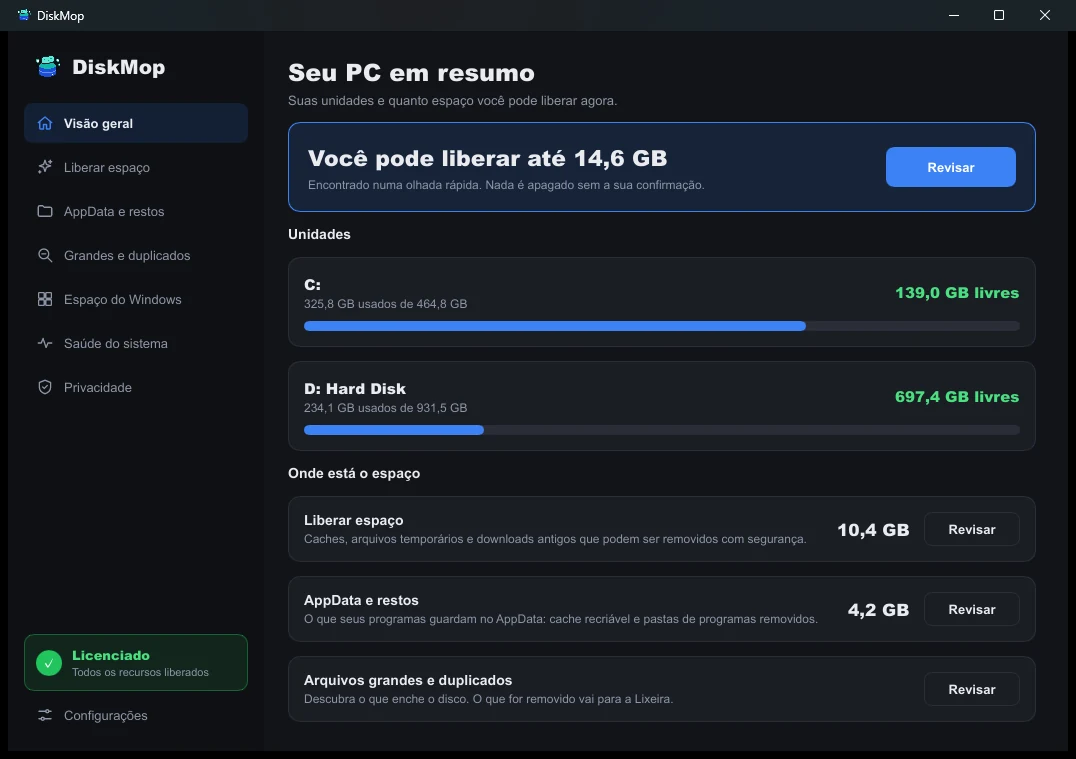
Como o DiskMop resolve isso: Visão Geral
Veja todo o uso do disco em uma única tela. Identifique instantaneamente as áreas que podem ser limpas.
Perguntas frequentes
How much space should I leave free for over-provisioning?
For consumer SSDs, leaving 10% to 15% unallocated or free is the sweet spot between storage capacity and peak controller performance.
Do NVMe SSDs need over-provisioning as much as SATA SSDs?
Yes. While NVMe controllers are significantly faster, the underlying physical NAND flash architecture and block erasure physics are identical.
Can software like Samsung Magician set this up?
Yes, manufacturer utilities create unallocated space automatically, or you can achieve the exact same effect by shrinking your partition in Disk Management.
How does DiskMop protect SSD health?
DiskMop continuously frees up gigabytes of accumulated temporary files and duplicate downloads, ensuring your SSD never drops into the dangerous high-wear zone.
Veredito
Never fill your solid-state drive to the brim. Reserve at least 10% of unallocated space or maintain healthy free space using DiskMop to keep your drive running at peak factory speeds.
Preserve a saúde e a velocidade do seu SSD com DiskMop.
O DiskMop analisa, identifica e limpa com segurança caches ocultos, sobras de aplicativos e lixo do sistema.