SSDのオーバープロビジョニング完全ガイド:寿命延伸と速度維持
SSDを満杯にしないことが寿命とパフォーマンスを守る理由
Short answer: SSD over-provisioning (OP) is the practice of allocating a portion of a solid-state drive's NAND flash memory exclusively for controller background maintenance (wear leveling, garbage collection, and bad block retirement). Reserving 7% to 15% unallocated or free space prevents performance throttling and extends the write endurance (TBW) of your SSD.
This guide explains how NAND flash works, why filling an SSD to 99% degrades write speeds, and how to configure over-provisioning safely in Windows and macOS.
要点
- SSDs cannot overwrite existing data directly; they must erase entire 4 MB blocks before writing 4 KB pages.
- A full SSD suffers from extreme Write Amplification Factor (WAF), which wears out NAND cells faster.
- Setting aside 10% of your drive capacity gives the garbage collection algorithm room to operate cleanly.
- Most enterprise drives have built-in factory over-provisioning; consumer drives benefit from manual unallocated space.
- DiskMop helps you maintain at least 15% free headroom on your SSD by continuously purging junk caches.
SSDの空き容量を保ち長寿命化をDiskMopで実現。
DiskMopが隠れたキャッシュ、アンインストール後の残りファイル、不要なシステムファイルを自動検出して安全に削除します。
SSD Performance & Endurance by Free Space Ratio
| Free Space Remaining | Write Amplification (WAF) | Random Write Speed | Recommended State |
|---|---|---|---|
| 25% – 30% Free | Low (1.1 – 1.3) | 100% (Maximum IOPS) | Optimal for endurance & gaming |
| 10% – 15% Free | Moderate (1.5 – 1.8) | 85% – 95% | Healthy operational threshold |
| 5% Free | High (2.5 – 3.5) | 40% – 60% | Noticeable write throttling |
| Under 1% (Full Drive) | Extreme (5.0+) | 10% – 20% (Heavy stutter) | Critical: Risk of freeze and premature wear |
How NAND flash memory actually writes data
Unlike old magnetic hard drives that wrote data anywhere, NAND flash writes in small pages (4 KB) but must erase in massive blocks (typically 4 MB to 8 MB).
When an SSD is almost full, the controller spends immense time reading, rewriting, and shuffling existing data just to write a tiny file. Over-provisioning gives the controller a clean sandbox to stage writes effortlessly.
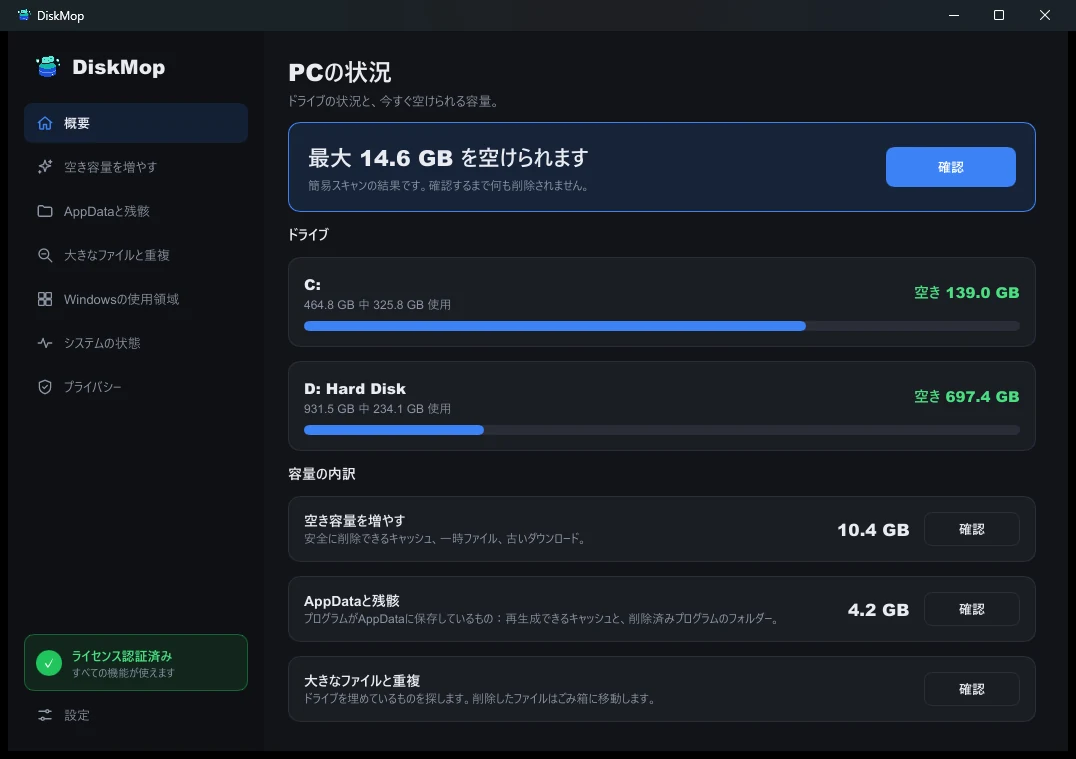
DiskMopで解決: 概要
すべてのディスク使用状況を1つの画面で確認できます。クリーンアップ可能な領域を即座に特定します。
よくある質問
How much space should I leave free for over-provisioning?
For consumer SSDs, leaving 10% to 15% unallocated or free is the sweet spot between storage capacity and peak controller performance.
Do NVMe SSDs need over-provisioning as much as SATA SSDs?
Yes. While NVMe controllers are significantly faster, the underlying physical NAND flash architecture and block erasure physics are identical.
Can software like Samsung Magician set this up?
Yes, manufacturer utilities create unallocated space automatically, or you can achieve the exact same effect by shrinking your partition in Disk Management.
How does DiskMop protect SSD health?
DiskMop continuously frees up gigabytes of accumulated temporary files and duplicate downloads, ensuring your SSD never drops into the dangerous high-wear zone.
評決
Never fill your solid-state drive to the brim. Reserve at least 10% of unallocated space or maintain healthy free space using DiskMop to keep your drive running at peak factory speeds.
SSDの空き容量を保ち長寿命化をDiskMopで実現。
DiskMopが隠れたキャッシュ、アンインストール後の残りファイル、不要なシステムファイルを自動検出して安全に削除します。